

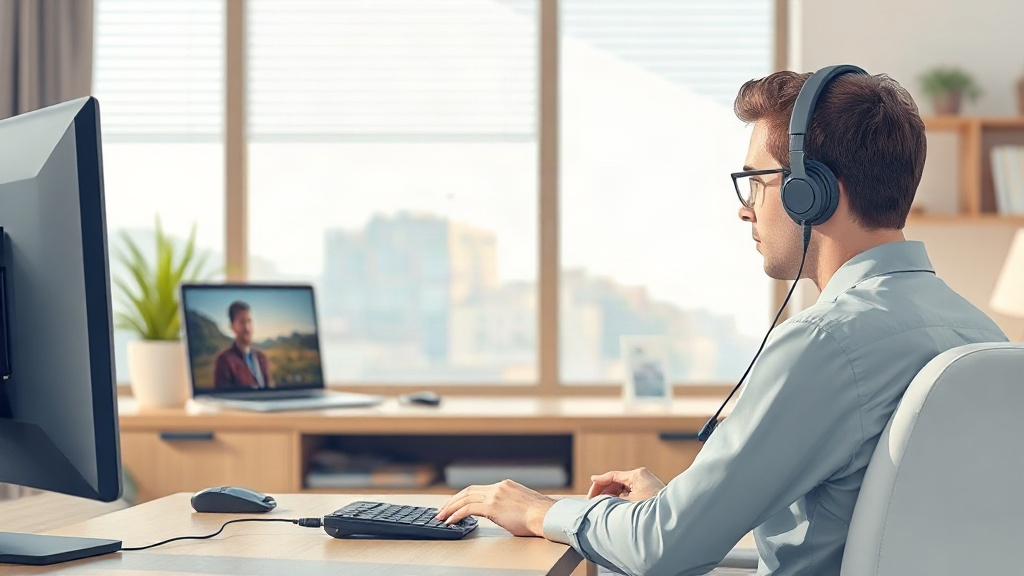
Choosing the best headsets for clear video calls in 2026 starts with understanding what actually shapes call clarity: microphone quality, wearing comfort, and reliable connectivity. Most call problems people blame on software begin at the microphone or the connection. Platforms like BeReviewers compare everyday tech, so it helps to know which specs deserve attention before you compare prices. This guide explains what separates a headset that sounds professional from one that mumbles, and how to match a model to the way you actually work.
Quick answer: Prioritize a noise-canceling boom microphone with a USB or dongle connection, then match the fit to your longest call days. Wireless convenience is worth it if battery life covers a full workday; wired remains the simplest choice for fixed desks. Expect solid call quality to cost roughly $60 to $200, with premium models adding comfort and better noise rejection rather than dramatically clearer speech.
What is best headsets for clear video calls?
The phrase describes headsets built to make your voice sound natural and keep distractions out of meetings. It is not one product category. Wired office headsets, wireless models with a charging base, and USB-C headsets designed for laptops all qualify when they get the fundamentals right. The label is about fitness for calls, not about brand prestige.
Three components decide whether a headset performs well on a call.
- The microphone captures your voice and rejects background noise. A boom mic that sits close to your mouth does more for clarity than any software filter.
- The connection carries audio to your computer. Wired USB and low-latency wireless dongles are more dependable than standard Bluetooth, which can introduce delays.
- The fit determines whether you can wear the headset for a two-hour meeting without adjusting it constantly.
What to compare across models
Comparison: typical call headset types
| Type | Typical price | Strength | Watch out for |
|---|---|---|---|
| Wired USB | $40–$120 | Reliable, no charging | Cable limits movement |
| Wireless dongle | $100–$250 | Freedom to move | Battery and dongle loss |
| Bluetooth | $50–$200 | Works with phones too | Noticeable audio delay |
| Speakerphone-style | $80–$300 | No headset fatigue | Picks up room noise |
The table shows a trade-off rather than a ranking. A $70 wired headset with a good boom mic can sound better on calls than a $200 wireless model with a weak pickup pattern.
A dedicated microphone matters more than headphone audio drivers for one simple reason. Call platforms already compress outgoing audio, so listeners judge you on noise and consistency. Clear, close speech survives compression well; distant or echoing speech does not. If your headset hears your voice clearly at the source, the software has less work to do.
People who fidget with a tight headband or hot ear cushions speak less naturally, and listeners notice the hesitation.
Takeaway: judge a call headset by microphone placement, connection type, and fit before anything else.
Why best headsets for clear video calls matters
A single unclear call rarely ruins a career. Repeated unclear calls do damage quietly. Colleagues stop asking you to present, clients ask you to repeat yourself, and recruits form an impression of your company from its audio. Video quality gets most of the attention, but viewers tolerate soft video far more readily than muddy voices.
Clarity also changes how much energy meetings cost. When you strain to hear, you spend attention on decoding words rather than on the discussion. Reliable audio lowers that effort for everyone on the call.
The business case for good audio is straightforward. First impressions form in the opening minutes, and a professional microphone signals preparation. Second, fewer misunderstandings mean fewer follow-up emails and less rework. Third, a headset that fits well encourages you to keep the camera on and stay engaged rather than retreating to audio-only.
Where call clarity breaks down in practice
Plenty of echo and feedback problems originate in shared software rather than in the headset itself. If callers hear themselves repeated or a hollow ringing, the fix often lies in settings, not shopping. A short guide to how to fix Zoom echoes can save you from replacing working equipment.
Remote work raises the stakes further. Home offices share space with washing machines, doorbells, and neighbors. A headset with noise rejection protects your listeners from that environment. The same applies in open-plan offices, where dozens of voices blend into constant background chatter.
Trust is the quiet factor. Callers judge competence quickly, and unstable audio undercuts everything else you do. A dependable headset turns a technical risk into a solved problem you no longer think about.
Takeaway: clear audio protects your credibility and reduces friction in every meeting you attend.
Best practices
Buying the right headset gets you partway. Using it well gets you the rest, and most improvements cost nothing.
Match the headset to your calendar
Count your typical call hours before choosing a model. Someone on three one-hour calls a day needs lighter clamping pressure and breathable cushions than someone on a single weekly standup. Travelers benefit most from models that fold flat and include a case.
Test your microphone before you rely on it
Record a 30-second voice note in your usual call app wearing the headset normally. Listen back for hiss, keyboard clatter, and echo. Repeat the test in the room where you take calls most often. This takes two minutes and reveals problems before a client does.
Position the boom mic correctly
Keep the microphone roughly two fingers from your mouth and slightly to one side. This position captures your voice clearly while reducing breath pops. Headsets with a flexible boom make this adjustment simple; fixed microphones require better room treatment instead.
Manage charging and connections
Wireless headsets fail at the worst moments, usually mid-presentation. Charge them at the end of each workday, and keep a wired backup in your bag. For wireless dongles, store the receiver with the headset so it never goes missing.
Control your room as much as your gear
Soft furnishings absorb reflected sound, and a bookshelf or rug behind you reduces echo. A headset with a noise-rejecting mic cannot fix a room that bounces every syllable back.
Save the phone number of your call bridge or a dial-in link. It is the fastest fallback when your computer audio misbehaves.
Takeaway: good habits, from mic placement to charging, extend a headset’s useful life and your call quality.
Common mistakes to avoid
Most disappointing headset purchases trace back to a few predictable errors. Spotting them before you buy saves both money and frustration.
Buying on audio quality alone. Reviews often focus on music playback. Call clarity depends on microphone performance and comfort, so read those details specifically rather than general sound scores.
Ignoring the platform you use. Some headsets are optimized for one ecosystem and deliver fewer features on another. Check that mute controls and buttons work with your meeting software before committing.
Choosing Bluetooth when a dongle fits better. Bluetooth is convenient for phones and casual calls. For long professional meetings, a dedicated dongle or a USB cable produces more consistent audio.
Skipping the fit check. Headbands that clamp and cushions that trap heat make long calls uncomfortable. Weight matters, but so does how evenly the headset distributes it.
Neglecting returns. Fit and microphone quality are personal. Buy from a retailer with a clear return window so you can test the headset on real calls and send it back if it disappoints.
Overpaying for features you will not use. Active noise cancellation helps in noisy rooms but adds cost. If your home office is quiet, a simpler headset may serve you just as well.
Takeaway: match the headset to your actual calls, test it during the return window, and pay only for features you will genuinely use.
FAQ
How much should I spend on a headset for video calls?
Expect solid quality between $60 and $200. Spending more buys lighter materials, longer battery life, and stronger noise rejection rather than dramatically clearer speech. Start in the middle of that range and upgrade only if your calls demand it.
Is a boom microphone better than a built-in laptop microphone for calls?
Yes, in almost every setting. A boom mic sits close to your mouth and rejects room noise, while a laptop mic picks up keyboard sounds and echoes. The difference is most obvious to other participants.
Do I need active noise cancellation in a call headset?
It helps if you work near traffic, appliances, or a busy office. In a quiet room, a headset with good microphone noise rejection is usually enough. Choose based on your environment rather than popularity.
How long should a wireless headset’s battery last?
Look for a model that covers a full workday of talk time on one charge, with a quick-charge option for emergencies. Published figures vary with volume and features, so read the fine print behind headline battery claims.
Conclusion
Clear calls come down to three things: a microphone that sits close to your mouth, a connection you can trust, and a headset you can wear for hours without thinking about it. Wired models suit fixed desks and tight budgets, while wireless models with a dongle reward people who move around. Whatever you choose, test it on a real call and keep the return window open. Make a shortlist of two or three headsets that match your call volume and room, then order one and record a test call before the week ends.





Leave a Reply